

Kansa Live Triage

Learn Kansa, a PowerShell framework for sweeping many hosts during incident response.
medium

To access material, start machines and answer questions login.
In the previous rooms, you learned how a Windows engagement is organized, how to reach a compromised network, what artifacts matter, and how to collect them from a single host using . A real breach is often not confined to one machine, an attacker who compromises one workstation frequently moves laterally, and a single incident can end up touching a dozen hosts or more.
This room introduces a different kind of tool. Instead of collecting raw artifacts for you to parse, Kansa runs scripts to gather and, in many cases, analyze live system state across multiple hosts simultaneously, returning analysis back to you.
Learning Objectives
- Understand what Kansa is and the kind of problem it solves
- Learn how Kansa collects data through its Modules scripts
- Learn how Kansa analyzes the collected data through its Analysis scripts
- Run Kansa data collection and analysis against a target
- Write a custom module and analysis script for a specific case
- Learn how Kansa can be scaled to multiple machines in a network
Prerequisites
- Complete the Accessing a Compromised Network room
Lab Access
This room uses two machines. Click Start DefenseBox below to power on the DefenseBox, and Start Lab Machine to power on the target workstation.
DefenseBox is your forensic workstation, with Kansa already installed. Starting it gives you access. The target workstation is the machine you will be running Kansa on throughout this room. Starting it only gives you its IP address, which you will use in the commands run from DefenseBox.
Set up your virtual environment
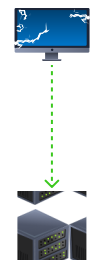
Note: We have provided you with DefenseBox access mainly for running Kansa on the target machine. However, you can also utilize your own DFIR machine as an alternative to the DefenseBox to run Kansa on the target machine. The target machine, on the other hand, is just meant to be started from above. You do not need to log in to the machine with any credentials.
Let's begin!
Ready to learn Cyber Security?
The Kansa Live Triage room is only available for Premium or Max subscribers. Signup now to access more than 500 free rooms and learn cyber security through a fun, interactive learning environment.
Already have an account? Log in