
Overflow The Jackpot CTF
THM Defcon CTF Event
medium


To access material, start machines and answer questions login.
What is a CTF?
A Capture the Flag event is a competition where you will have to solve cybersecurity challenges in diverse areas of knowledge. The challenges are completely practical and will allow you to put your skills to the test. Each challenge has one or more flags you'll need to retrieve to score points.
A flag is a string of text hidden in each challenge that will serve as proof that you've achieved the expected goal. Flags for this competition will follow the following format:
THM{I_R3@d_Th3_Rul3s_aNd_ACKnowledge_Th3M}
Where are the challenges?
The competition will run from August 6th to August 9th. The challenges will be made available in this room when the competition starts.
While you wait for the competition, feel free to try the challenges from our catalogue to practice!
Read the rules of the CTF!
We’d love to say that everything is permitted during the CTF, but to keep it fair and fun, please follow these rules:
- Do not attack TryHackMe's infrastructure.
- Do not attack other users' machines; only use your IP and/or the target machines' IP.
- Don’t share flags with other players / teams.
- Do not brute force flags on the TryHackMe platform.
If you have questions or need support, our staff and volunteers will be at Village to help.
Submit the Welcome + Rules flag.
What is the flag?
Set up your virtual environment
What is the flag?
What is the flag?
Set up your virtual environment
Challenge Summary
The TSS team worked an incident at the Cascadia Ski and Resort Collective, a three-property hospitality group sharing one IT backbone, and produced a full report of the attack. The activity is consistent with POWDER WOLF, an eCrime cluster known for using stolen remote access credentials against hospitality infrastructure.
Critically, the intrusion ran the full kill chain and was only caught at the staging step, before anything encrypted, surfaced by the CSIRT investigation rather than any alert.
Mission Parameters
- Read and understand the attack chain at the incident report stored at
\threat-intelin the DaC site. - Identify the problems and why the detections from the CSIRT analyst are not working.
- Research and understand the attacker's technique before applying the fixes.
- Understand the customer's environment particularities before applying the fixes.
- Tune and merge the detections in the DaC application.
Lab Access
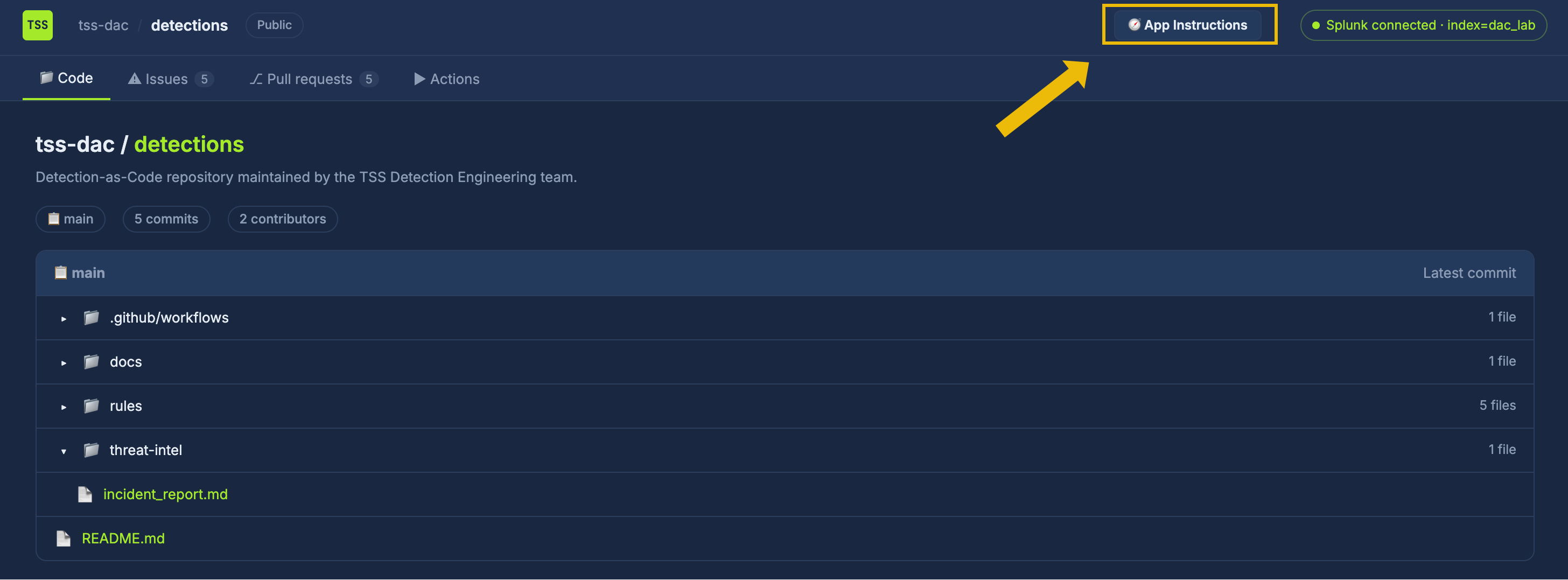
Your colleagues on the CSIRT team have collected the logs from the time of the attack and set them up in a Splunk instance connected to the TSS Detection Engineering team's Detection-as-Code (DaC) application. The application is a GitHub-style site that runs multiple checks and validations before deploying a detection rule. If you are not familiar with the DaC concept, we strongly recommend taking a look at the AI & Automation in Detection Engineering room, which provides you with a clear explanation of this concept.
Inside the application, you will see the README.md file under the Code tab. This file contains details on how the pipeline works and an explanation of what DaC is. The application also has an App Instructions button that interactively guides you:
Start the lab by clicking the Start Machine button below. You will then have access to both the Splunk instance and the Detection-as-Code interface. Please wait 4-5 minutes for the platform to launch.
To access the Detection-as-Code interface, please follow this link:
To access the instance, please follow this link:
https://LAB_WEB_URL.p.thmlabs.com(opens in new tab)- Use the following index to see the environment logs and filter for All time:
index="dac_lab"
What is the PR#1 flag?
What is the PR#2 flag?
What is the PR#3 flag?
What is the PR#4 flag?
What is the PR#5 flag?
Set up your virtual environment
What is the user flag?
What is the operator flag?
What is the root flag?
Ready to learn Cyber Security?
TryHackMe provides free online cyber security training to secure jobs & upskill through a fun, interactive learning environment.
Already have an account? Log in